⚠️ This document is a machine-translated draft and is currently undergoing review. Some content may be inaccurate or differ from the original Korean version. For the most precise information, please refer to the Korean documentation.
Kollus Live provides a RESTful API for data integration with external systems. This guide explains the request specifications and authentication methods. You can set up your development environment by referring to the examples.
A maximum of 60 calls per minute is allowed. When making consecutive calls, please maintain an interval of at least 1 second.
The Accept header and Content-Type must be specified according to the HTTP Method.
| HTTP Method | Accept Header | Content-Type |
|---|---|---|
GET / DELETE | application/json | - |
POST / PUT | application/json | application/x-www-form-urlencoded |
All API requests comply with the OAuth2 specification and must include a Bearer Token in the request header.
In the Kollus Live console, navigate to [Settings] > [Basic Information] > [Service Account] tab.
In the
[Personal Access Tokens]section at the bottom, click[Create New Token].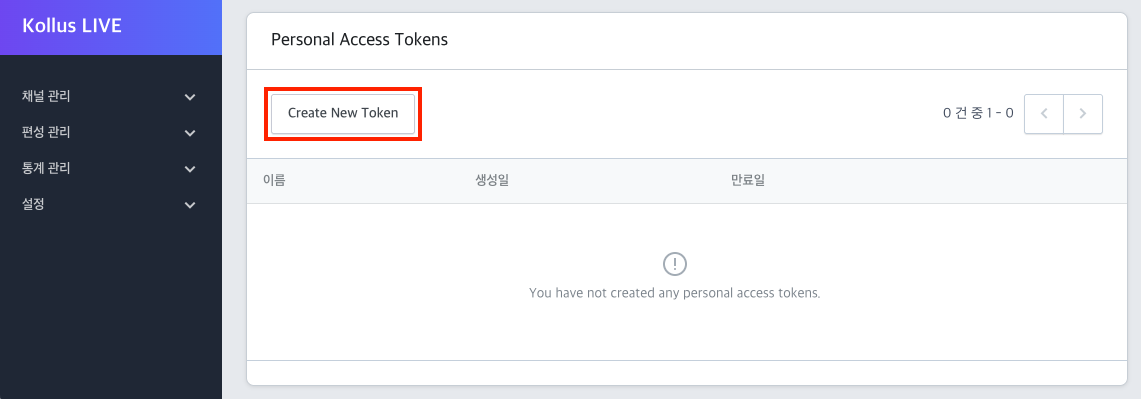
Enter a token name, check the required Scopes, and click
[Save].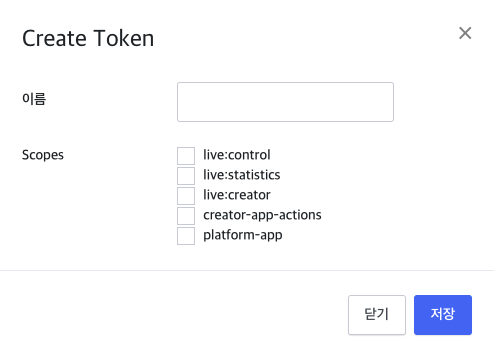
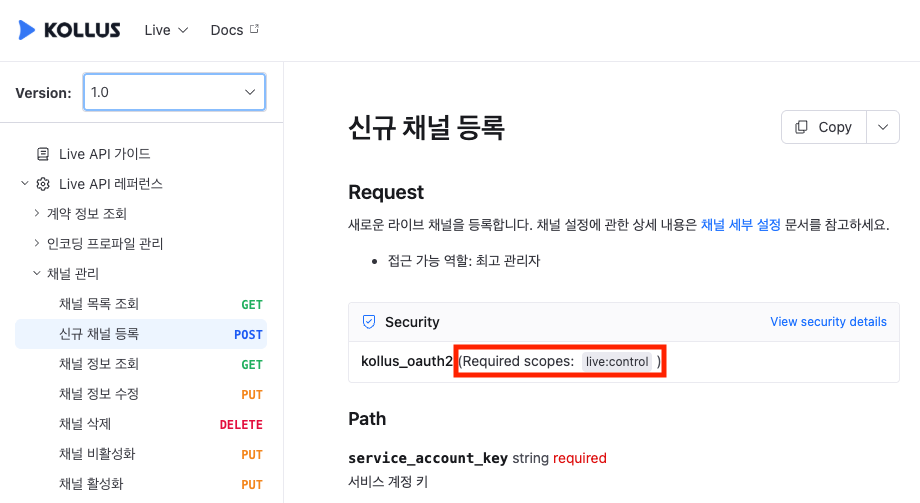
The required Scope for each API can be found in the Security section of the API reference.
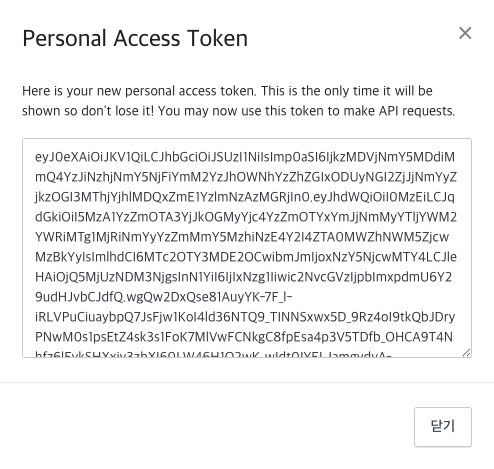
For security reasons, the generated token cannot be retrieved again later. Copy the token immediately and store it in a safe place.
curl -X GET "https://api-live-kr.kollus.com/api/v1/live/service-accounts/{SERVICE_ACCOUNT_KEY}/channels/{CHANNEL_KEY}/broadcasts?order=id_desc&page=1&per_page=10" -H "accept: application/json" -H "Authorization: Bearer accesstoken...."The available features and access scope vary depending on the role assigned to the service account. For detailed permissions by role, refer to the Service Account Roles and Permissions documentation.
For key information included in the request URL, refer to the Authentication and Key Information documentation.
// Implementation using axios

import axios from "axios";

const url =
  "https://api-live-kr.kollus.com/api/v1/live/service-accounts/{SERVICE_ACCOUNT_KEY}/channels";

const body = new URLSearchParams({
  title: "test-channel",
  customer_code: "catenoidtest",
  concurrently_viewer_limit: 100,
  is_shared: 1,
  live_media_profile_group_key: "{ENCODING_PROFILE_KEY}"
});

axios.post(url, body.toString(), {
  headers: {
    Accept: "application/json",
    "Content-Type": "application/x-www-form-urlencoded",
    Authorization: "Bearer {ACCESS_TOKEN}"
  }
})
.then(response => {
  console.log("Channel created successfully:", response.data);
})
.catch(error => {
  console.error(
    "Failed to create channel:",
    error.response?.data || error.message
  );
});
// Implementation using fetch API

const url = "https://api-live-kr.kollus.com/api"
+ "/v1/live/service-accounts/{SERVICE_ACCOUNT_KEY}/channels/{CHANNEL_KEY}/broadcasts?order=id_desc&page=1&per_page=10";

fetch(url, {
  method: "GET",
  headers: {
    "Accept": "application/json",
    "Authorization": "Bearer {ACCESS_TOKEN}"
  }
})
  .then(response => {
    if (!response.ok) {
      throw new Error(`HTTP error! status: ${response.status}`);
    }
    return response.json();
  })
  .then(data => {
    console.log("Response Data:", data);
  })
  .catch(error => {
    console.error("Request failed:", error);
  });